
Finding Feeds & Usage
Finding Podcast RSS Feeds
Section titled “Finding Podcast RSS Feeds”MinusPod includes a built-in podcast search on the Add Feed page. It works out of the box using Apple’s iTunes directory, which needs no account or API key. If you prefer PodcastIndex.org, pick it under Settings > Podcast Search, get free API credentials at api.podcastindex.org/signup, and add them there; the Test connection button sends a signed one-result search so you know the credentials work before you need them. Installs that already had PodcastIndex credentials before the provider option existed keep using PodcastIndex until they choose otherwise.
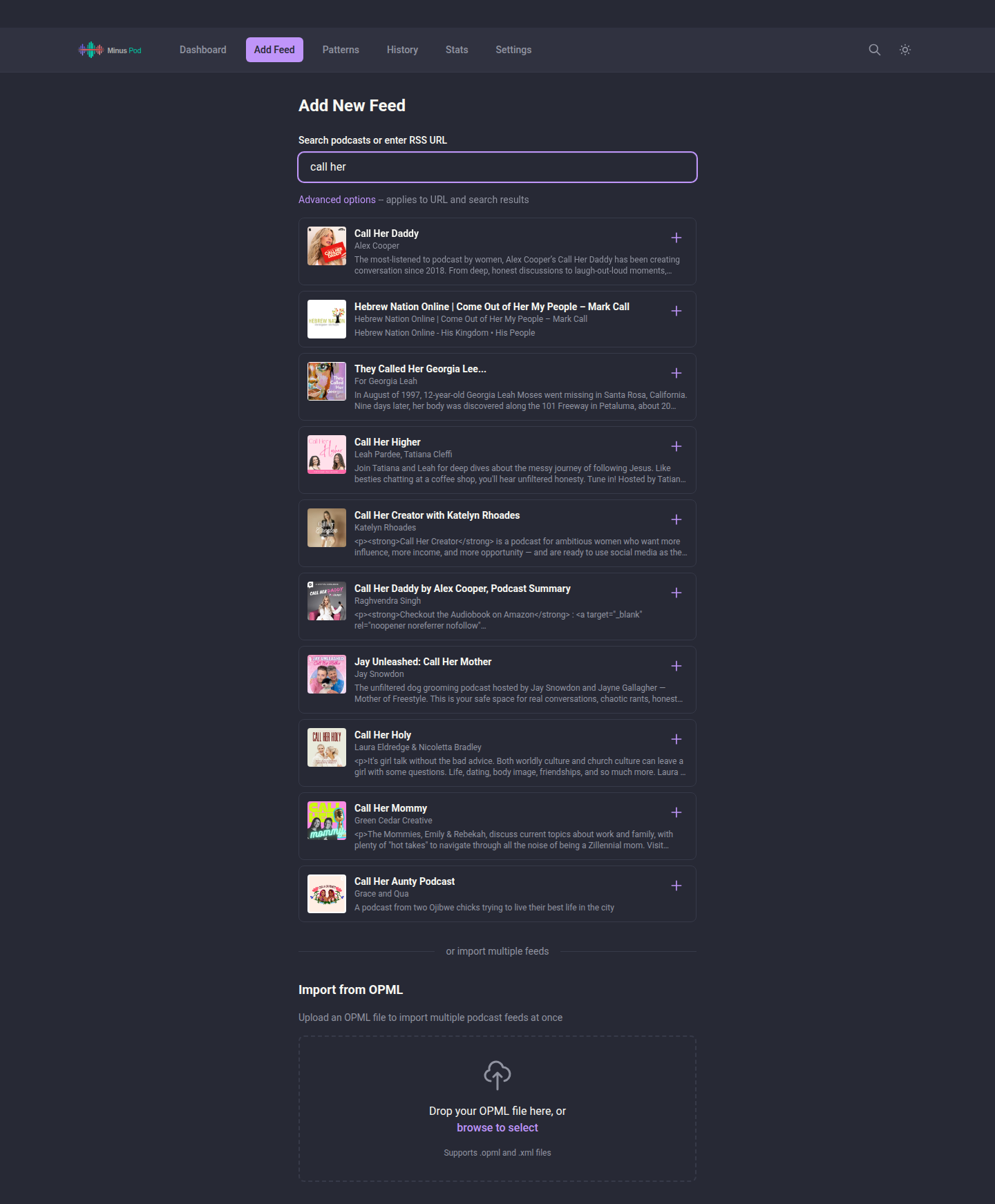
You can also find RSS feeds manually:
- Podcast website - Look for “RSS” link in footer or subscription options
- Apple Podcasts - Search on podcastindex.org using the Apple Podcasts URL
- Spotify-exclusive - Not available (Spotify doesn’t expose RSS feeds)
- Hosting platforms - Common patterns:
- Libsyn:
https://showname.libsyn.com/rss - Spreaker:
https://www.spreaker.com/show/{id}/episodes/feed - Omny: Check page source for
omnycontent.comURLs
- Libsyn:
No RSS feed at all
Section titled “No RSS feed at all”If a show never had an RSS feed to begin with, such as your own recordings or an archive of downloaded episodes, see Local Feeds for building a feed from your own audio files instead of finding one to subscribe to. For a show that only exists on YouTube, see YouTube Feeds.
Add your modified feed URL to any podcast app:
http://your-server:8000/your-feed-slugThe feed URL is shown in the web UI and can be copied to clipboard.
Audiobookshelf
Section titled “Audiobookshelf”If using Audiobookshelf as your podcast client, its SSRF protection will block requests to MinusPod when running on a local/private network. Add your MinusPod hostname or IP to Audiobookshelf’s whitelist:
SSRF_REQUEST_FILTER_WHITELIST=minuspod.local,192.168.1.100This is a comma-separated list of domains excluded from Audiobookshelf’s SSRF filter. See Audiobookshelf Security docs for details.
Feeds on a private or LAN host
Section titled “Feeds on a private or LAN host”MinusPod validates feed source URLs and blocks private/loopback/LAN addresses by default (SSRF protection). If a feed source is on a private address (a LAN Audiobookshelf server or a self-hosted feed), set MINUSPOD_ALLOW_PRIVATE_FEED_HOSTS=true.
Served feeds are marked private
Section titled “Served feeds are marked private”Pocket Casts matches an added feed to a public listing when the Title,
Author, Website URL and Thumbnail URL match, then shows the public show’s
metadata instead of yours. The documented fix is <itunes:block>Yes</itunes:block>
in the feed. MinusPod adds that tag to every feed it serves and replaces any
upstream itunes:block value, so directories skip the feed and Pocket Casts
stops matching it. Apple Podcasts and Overcast treat the feed as private but
still accept it when added by URL.
Turn it off with Mark served feeds private in Settings
(feedItunesBlock, on by default). The upstream value then passes through
unchanged. Pocket Casts keeps a match it already made, so remove a matched
feed and add it again.
LLM Cost and Model-Usage Stats API
Section titled “LLM Cost and Model-Usage Stats API”Two read-only endpoints expose the LLM call ledger for cost tracking: GET /api/v1/stats/model-usage breaks down spend by provider and model, and GET /api/v1/stats/episode-costs breaks it down by episode instead. Both are paginated (page, limit), sortable (sortBy, sortDir), and filterable by date range (from, to), podcastSlug, provider, and model.
Spend includes failed calls that were still billed by the provider, not just successful ones. A model’s cost can be unknown if MinusPod has no pricing data for it; model-usage reports these separately as unknownCostCount rather than folding them into the total as zero. episode-costs distinguishes an episode’s most recent processing run (latestRunCostUsd) from its lifetime total across every run (cumulativeCostUsd), which differ once an episode has been reprocessed.
See openapi.yaml for full parameter and response details.